 anmol.gakhar
Introduction -
A CRM should fit the way your sales team works. Your sales team shouldn't have to change its entire process just to fit the CRM.
This becomes obvious when a business starts growing. What worked with five salespeople and a simple pipeline can become difficult when there are multiple sales teams, different lead sources, longer sales cycles, approval requirements, and more customer data to manage. Salespeople start maintaining information in spreadsheets, managers create separate reports, follow-up reminders live in personal calendars, and important deal information gets buried in emails or notes.
The CRM is technically being used, but it isn't really supporting the business.
This is where Zoho CRM customization becomes valuable. Instead of using Zoho CRM as a standard setup, businesses can adapt its structure around their sales process, including the information they collect, how leads are qualified, how opportunities move through the pipeline, which activities should be automated, and what managers need to see.
The objective isn't to customize every available feature. It is to create a CRM that makes the right sales process easier to follow.
What Is Zoho CRM Customization?
Zoho CRM customization is the process of adapting Zoho CRM's fields, modules, layouts, pipelines, workflows, permissions, reports, dashboards, and processes to match a company's specific business requirements.
A standard CRM provides the foundation, while customization determines how that foundation works for your organization. For example, a software company may need to capture information such as company size, current software stack, product interest, buying timeline, budget range, decision-maker, technical requirements, and competitors being considered. A consulting company may need completely different information around service requirements, project scope, estimated hours, implementation timeline, stakeholders, and proposal status.
Both businesses can use Zoho CRM, but they shouldn't necessarily use the same CRM structure. That is the real purpose of customization: making the CRM relevant to the way your business operates.
Why Does Zoho CRM Customization Matter?
A CRM can contain a lot of information and still fail to help a sales team. The problem usually isn't a lack of features. It is a mismatch between the CRM and the company's actual process.
Imagine a sales representative receives a qualified lead. They need to know what the prospect wants, how urgent the requirement is, who makes the decision, what the expected budget is, what needs to happen next, and when they should follow up. If the CRM doesn't make these answers easy to capture and find, the salesperson will eventually create their own system.
That's how spreadsheets and disconnected tools slowly return to the sales process.
A properly customized Zoho CRM can help businesses standardize lead qualification, create a sales pipeline that reflects actual buying stages, capture important customer information, automate repetitive activities, improve forecasting, give managers better pipeline visibility, control access to sensitive information, and connect sales data with other business applications.
If your current CRM isn't structured correctly, it is worth reviewing your Zoho CRM setup before adding more customizations. A strong foundation makes future customization and automation much easier to manage.
What Should You Customize in Zoho CRM?
Not every CRM needs the same level of customization. For most businesses, the important areas include custom fields, modules, layouts, sales pipelines, automation, permissions, reports, and integrations.
The right combination depends on the complexity of your sales process and the problems you are trying to solve.
Custom Fields: Capture the Information Your Sales Team Actually Needs
Custom fields are one of the simplest ways to adapt Zoho CRM to your business. Suppose you sell B2B technology services. A standard lead record may not capture enough information to qualify the opportunity, so your sales team might need fields for business requirements, service interest, current technology, budget, decision timeline, decision-maker, and number of users.
The mistake is creating fields simply because the information might be useful someday. Every field creates a potential data-entry task, so before adding one, ask whether it will influence a decision, trigger an action, support reporting, improve qualification, or help another team.
If it serves none of these purposes, you probably don't need it.
Custom Modules: When Standard CRM Records Aren't Enough
Leads, Contacts, Accounts, and Deals cover many common sales processes, but some businesses have additional entities that deserve their own records. Depending on the business, these might include properties, vendors, partners, projects, contracts, locations, applications, or service packages.
Instead of storing this information in random notes or forcing it into unrelated fields, a custom module can provide a more structured approach. The important point is to create a custom module only when the information represents a distinct business object that needs to be managed independently.
More modules don't automatically mean a better CRM. They should exist because they solve a genuine structural problem.
Layouts: Show Users What They Need, Not Everything You Have
A CRM record can become difficult to use when every possible field appears on the screen. A salesperson working with a new inbound lead probably doesn't need to see every field required for contract renewal, while an account manager may need customer and renewal information that isn't relevant during initial lead qualification.
Layouts allow businesses to organize information around how users actually work. A good layout answers a simple question: What does this user need to see at this point in the sales process?
The less unnecessary information users have to process, the easier the CRM becomes to use consistently.
Layout Rules: Make the CRM Adapt to the Record
Some information only becomes relevant when certain conditions are met. For example, a company selling software implementation services might only need company name, contact details, lead source, and service interest when a lead first enters the CRM. Once the prospect confirms that they need implementation, additional information such as the existing CRM, number of users, migration requirements, integrations, and implementation timeline becomes relevant.
Instead of showing all of these fields from the beginning, layout rules can help make the interface more context-specific. This creates a more focused experience for sales users and reduces unnecessary data entry.
How Should You Customize Zoho CRM Around Your Sales Process?
This is where many CRM projects go wrong. Companies open Zoho CRM, look at the available settings, and immediately start configuring fields and workflows.
The better approach is the opposite: start with the sales process, then configure the CRM.

Step 1: Map the Customer Journey
Before changing the CRM, map the journey from first contact to closed deal.
A typical B2B process might move from Lead Generated → Lead Qualified → Discovery → Solution Discussion → Proposal → Negotiation → Closed Won, but your actual process may look very different.
At each stage, identify who owns the record, what information is required, what decision needs to be made, what action happens next, and which activities are currently manual. Don't document the process you wish existed. Document what your sales team actually does today.
This exercise often reveals that the CRM isn't the only thing that needs improvement. Sometimes the sales process itself has unnecessary steps.
Step 2: Define What "Qualified" Actually Means
One of the most important customization decisions is defining when a lead becomes a genuine sales opportunity. Many businesses use vague criteria such as "interested" or "good lead," which makes reporting unreliable and creates different interpretations among salespeople.
Instead, define measurable qualification criteria. A qualified B2B lead, for example, might have a confirmed business requirement, a relevant company profile, an identified decision-maker, a defined buying timeline, and sufficient commercial potential.
Once these criteria are clear, they can become part of your Zoho CRM implementation and provide a stronger foundation for automation, reporting, and sales forecasting.
Step 3: Design the Pipeline Around Buying Milestones
Your pipeline should represent how customers actually move toward a purchase rather than simply listing activities performed by salespeople.
A generic pipeline might be
New → Contacted → Follow-up → Proposal → Negotiation → Won.
A more process-driven B2B pipeline might be Qualified → Discovery Completed → Solution Validated → Proposal Submitted → Commercial Review → Negotiation → Closed.
The second approach provides more useful management information because each stage represents something meaningful that happened in the opportunity.
The question isn't how many stages you should create. The better question is: What must happen before an opportunity can legitimately move forward?
That answer should shape your pipeline.
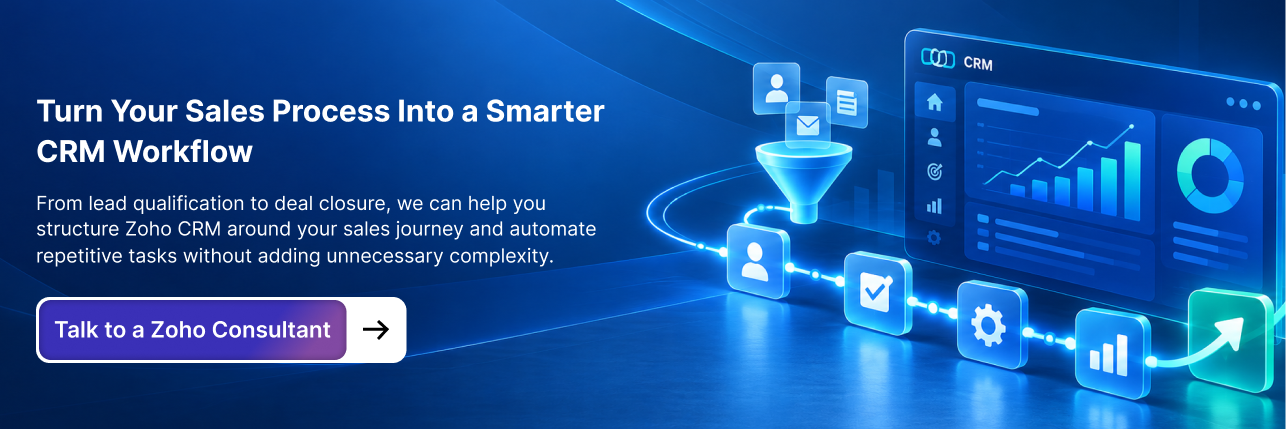
How Can Zoho CRM Automation Support Your Customized Process?
Customization and automation work best together. Once your CRM reflects the sales process, you can identify repetitive activities that don't need manual attention.
For example, when a qualified lead enters the CRM, the system could assign the appropriate salesperson, create a follow-up task, and send an internal notification. When a deal enters the proposal stage, it could create a proposal-related task, notify a manager, and require specific information before the opportunity progresses.
This is where Zoho CRM workflow automation becomes useful. Instead of asking salespeople to remember every repetitive step, the CRM can handle predictable actions based on defined conditions. You can also use specific Zoho CRM workflow examples to identify repetitive processes that are good candidates for automation.
The important part is not automating everything. It is automating the repetitive parts of the process while leaving important decisions to people.
How Do You Know Which CRM Tasks Should Be Automated?
A useful way to identify automation opportunities is to look at frequency, predictability, effort, and judgment. If a task happens frequently, follows a predictable rule, takes meaningful time, and doesn't require human decision-making, it is usually a strong automation candidate.
For example, assigning a lead based on territory is predictable and can usually be automated. Deciding whether a prospect has a genuine business need is different because it requires judgment.
This distinction helps prevent businesses from over-automating their sales process. Automation should remove administrative work, not remove the human decisions that make a sales process effective.
Where Does Zoho CRM Blueprint Fit Into Customization?
Not every sales process can be handled through simple workflow automation. Some businesses need to control how an opportunity moves through important stages.
Imagine a company where a deal cannot move into negotiation until pricing has been approved. A salesperson shouldn't be able to skip that requirement simply because the CRM allows them to change a field.
This is where Zoho CRM Blueprint can become useful. Blueprints can define stages, transitions, required actions, and process conditions so users follow a structured process.
Think of the difference this way:
Workflow: When this condition happens, perform this action.
Blueprint: To move from this stage to the next stage, these requirements must be completed.
Both can be part of a customized CRM, but they solve different problems.
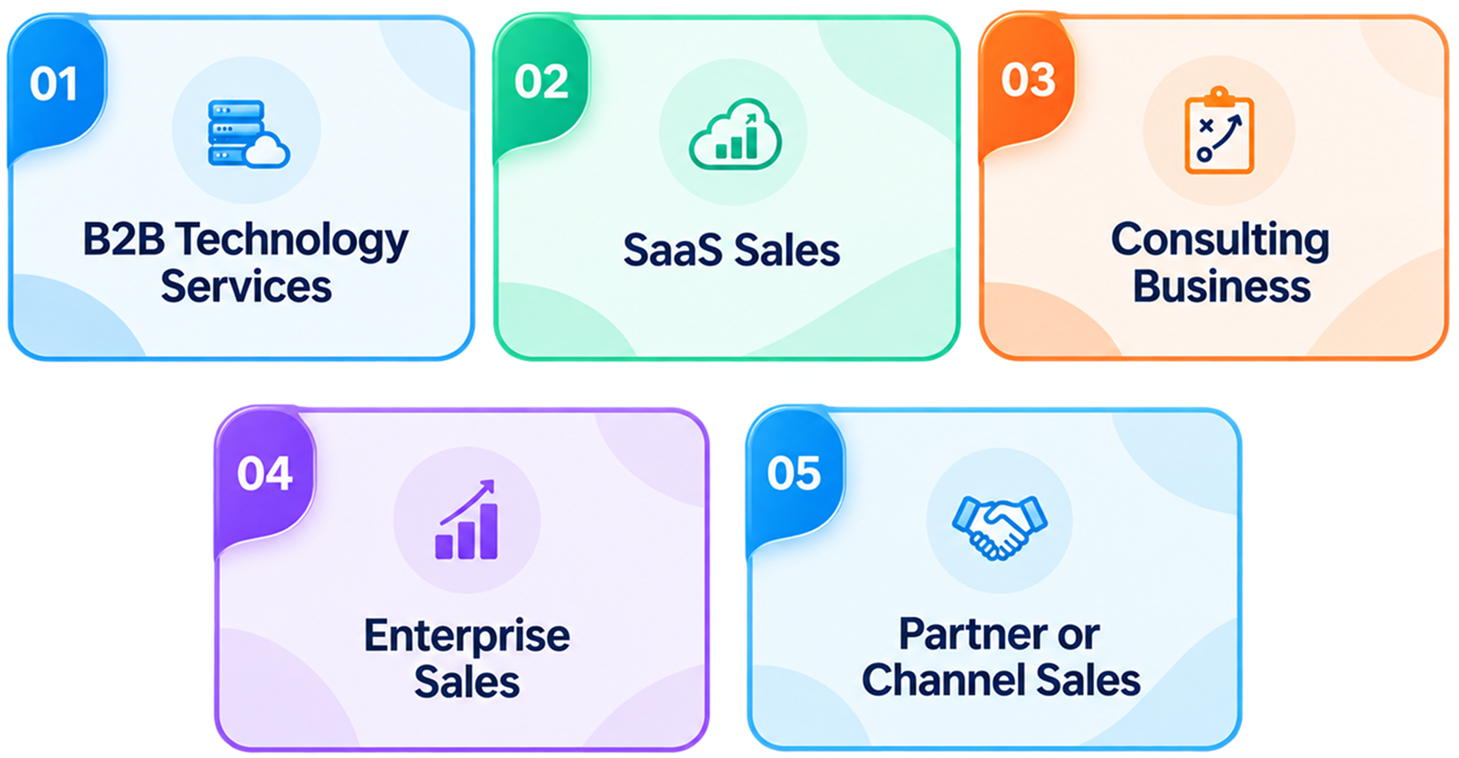
Zoho CRM Customization Examples for Different Sales Models
There is no universal CRM configuration. The right structure depends heavily on how your company generates and closes business.
B2B Technology Services
A technology services company may have a sales process involving discovery, technical evaluation, proposal, negotiation, and implementation. Its CRM might need to capture technology requirements, current platforms, service interests, estimated project value, technical stakeholders, decision-makers, competitors, and expected start dates.
When a deal reaches a particular stage, automation could create technical review tasks or notify the relevant team. The CRM becomes more than a contact database; it becomes a working representation of the sales process.
SaaS Sales
A SaaS company may care about number of users, subscription plan, trial status, product interest, activation status, expansion potential, and renewal date. These fields can help sales and customer-facing teams understand where an account stands and what action should happen next.
The CRM can then support activities around trials, upgrades, renewals, and expansion without requiring teams to maintain separate tracking sheets.
Consulting Business
A consulting firm may use a process such as
Lead → Discovery → Requirement Analysis → Proposal → Negotiation → Project Handoff.
Each stage can require different information, with proposal creation potentially depending on scope, estimated hours, pricing, timeline, and decision-maker information.
Once the deal is won, the CRM can support a structured handoff to the delivery team so important context isn't lost between sales and implementation.
Enterprise Sales
Enterprise opportunities often involve multiple stakeholders and longer decision cycles. A customized CRM may need to track the economic buyer, technical buyer, procurement, legal review, security requirements, contract status, implementation requirements, and expected annual value.
This gives sales leadership a clearer picture of what is actually blocking the deal rather than simply showing that an opportunity has remained in the pipeline for several weeks.
Partner or Channel Sales
A business selling through partners may need different ownership and reporting structures. The CRM might need to capture the partner, lead registration, partner manager, territory, partner contribution, opportunity owner, and revenue attribution.
Without this additional structure, it can become difficult to understand which partners are generating opportunities and who is responsible for moving them forward.
How Does CRM Customization Improve Sales Reporting?
One of the biggest benefits of customization is better reporting, but reporting quality depends on the information captured earlier in the process.
For example, if your CRM doesn't consistently capture lead sources, you can't reliably answer which channels generate qualified opportunities. If deal stages aren't defined consistently, you can't confidently identify where opportunities are getting stuck. If expected close dates aren't maintained, forecasting becomes difficult.
This is why CRM customization should be connected to reporting requirements from the beginning. Before adding a field, ask: Will management use this information to make a decision?
If the answer is yes, the field may deserve a place in the CRM.
How Does Customization Improve CRM Adoption?
CRM adoption is often treated as a training problem, but sometimes the CRM itself is creating the resistance.
If salespeople have to enter irrelevant information, navigate complicated layouts, maintain duplicate records, and complete unnecessary steps, poor adoption is predictable.
Good customization removes this friction. Instead of presenting 30 fields to a new lead, show the information that matters at that stage. Instead of asking salespeople to create repetitive follow-up tasks manually, automate them where appropriate. Instead of forcing users to search through unrelated information, organize records around their role.
A CRM that is easier to use has a much better chance of becoming part of the team's daily workflow.
Zoho CRM Customization vs Configuration: What's the Difference?
The terms are often used interchangeably, but there is a practical difference.
Configuration generally means adapting existing CRM capabilities through available settings, such as changing field properties, creating layouts, setting permissions, adjusting pipeline stages, creating reports, and configuring workflows.
Customization can involve deeper changes, including custom modules, complex business logic, custom functions, advanced integrations, and specialized automation.
The practical lesson is simple: use standard functionality before introducing additional complexity.
If Zoho CRM can solve a requirement through configuration, there may be little reason to introduce custom development. This approach usually produces a system that is easier to maintain and less dependent on complicated custom logic.
How Much Does Zoho CRM Customization Cost?
There isn't one fixed price for customization because the effort depends on what needs to be changed.
A relatively simple project might involve custom fields, layouts, pipeline stages, basic workflows, and reports. A more complex implementation could involve multiple teams, custom modules, data migration, advanced automation, integrations, custom functions, complex permissions, process redesign, and training.
The number of users and the number of systems that need to connect with Zoho CRM can also affect the overall effort. For a broader understanding of licensing and implementation expenses, it can also be useful to review the Zoho CRM cost breakdown before planning your project.
For that reason, businesses should avoid choosing a customization partner based only on an hourly rate or a low initial quote. A better question is: What exactly will be designed, configured, tested, documented, and supported?
A clearly defined implementation scope makes the cost much easier to understand and compare.
A Practical Zoho CRM Customization Framework
Before making changes, connect every CRM decision to a business question.
| Business question | CRM decision |
| What information must sales capture? | Custom fields |
| Does the information represent a separate business object? | Custom module |
| Which users need to see the information? | Layouts and permissions |
| When should information appear? | Layout rules |
| What stages does an opportunity pass through? | Pipeline design |
| What repetitive actions happen at each stage? | Workflow automation |
| Which steps cannot be skipped? | Blueprint and process controls |
| What does management need to measure? | Reports and dashboards |
| Which systems need to exchange data? | Integrations |
| What should remain manual? | Human decision points |
This framework prevents a common CRM customization mistake: changing settings before understanding the business requirement.
Zoho CRM Customization Checklist
Before your customized CRM goes live, review the entire sales process rather than checking individual settings in isolation.
Sales process: Does the CRM reflect the actual customer journey? Are pipeline stages clearly defined? Does every stage have a purpose? Are qualification criteria documented?
Data: Are only necessary fields included? Is duplicate information being avoided? Are important fields required at the appropriate stage? Is ownership clear?
Automation: Are repetitive tasks automated? Are notifications triggered at the right time? Are follow-ups handled consistently? Have workflows been tested against unusual scenarios?
User experience: Can salespeople quickly find what they need? Are irrelevant fields hidden? Are layouts appropriate for different teams? Can users complete common tasks without unnecessary steps?
Management: Can managers see pipeline health? Are reports based on reliable data? Can the business identify bottlenecks? Is forecasting based on meaningful stages and information?
Scalability: Will the setup work when the sales team grows? Can new products or services be added? Can additional integrations be introduced later? Is the customization documented?
When Should You Hire Zoho CRM Consultants?
Basic CRM changes can often be handled internally, particularly when the requirement involves straightforward fields, layouts, or reports.
Professional help becomes more valuable when customization involves multiple sales teams, complex processes, data migration, third-party integrations, advanced automation, custom functions, approval processes, complex permissions, or a major CRM redesign.
The right Zoho CRM consultant should not simply build whatever you request. They should first understand your sales process and challenge unnecessary complexity.
For example, if you ask for 25 custom fields, an experienced Zoho experts team should ask why each field is required. If you request a complicated workflow, they should understand the business rule behind it. If your sales team isn't using the CRM, they should investigate whether the issue is training, process design, data quality, usability, or unnecessary complexity.
That's what makes Zoho consulting services valuable beyond technical configuration.
Frequently Asked Questions
Zoho CRM customization is the process of adapting the CRM's fields, modules, layouts, pipelines, workflows, permissions, reports, dashboards, and integrations to match a company's specific sales and business requirements.
Businesses can customize fields, modules, layouts, layout rules, sales pipelines, workflows, permissions, reports, dashboards, and integrations. The exact options depend on the business process and CRM edition.
Customization helps businesses align the CRM with their actual sales process, capture relevant customer information, reduce unnecessary data entry, automate repetitive activities, improve reporting, and make the CRM easier for sales teams to use.
Start by mapping your existing sales process, defining qualification criteria, identifying the information required at each stage, configuring fields and layouts, building the appropriate pipeline, automating repetitive activities, adding process controls where necessary, and testing the system with real sales scenarios.
No. A business with a simple sales process may need only basic configuration, custom fields, workflows, and reports. More complex businesses may require custom modules, multiple layouts, advanced automation, integrations, and structured process controls.
Configuration generally involves adapting existing CRM capabilities through settings such as fields, layouts, permissions, workflows, and reports. Customization can involve deeper changes such as custom modules, custom functions, advanced integrations, or specialized business logic.
The cost depends on the scope and complexity of the project. Factors can include the number of users, CRM requirements, custom fields and modules, automation, integrations, data migration, custom development, training, and ongoing support.
Consider hiring Zoho CRM consultants when your implementation involves complex sales processes, multiple teams, data migration, integrations, advanced automation, custom functions, approval processes, or a major CRM redesign. Consultants can also help identify unnecessary customization and create a more scalable CRM structure.
Yes. Zoho CRM customization can include workflows and other automation to support tasks such as lead assignment, follow-ups, notifications, record updates, approvals, and sales handoffs. The best approach is to automate predictable, repetitive tasks while keeping decisions that require human judgment with the sales team.
Yes. Businesses can structure CRM layouts, fields, permissions, pipelines, processes, and automation according to different teams and business requirements. This is particularly useful when inbound, outbound, enterprise, partner, or account-management teams follow different sales processes.