 anmol.gakhar
Introduction -
Buying CRM software is a bit like buying raw land. The base price looks cheap until you start laying down foundations, putting up walls, and connecting the plumbing.
Many business owners select Zoho CRM because the licensing fees fit neatly into their quarterly budget. A few months later, they are surprised by additional costs for custom API integrations, data migration cleanups, and team onboarding.
If you are evaluating the total Zoho CRM setup cost for your organization, looking strictly at monthly subscription rates will give you an incomplete financial picture. This guide breaks down the true cost of implementing Zoho CRM; from software licensing to partner fees and post-launch maintenance, so you can budget accurately and avoid expensive rework.
Licensing Costs vs. Total Implementation Cost: What’s the Difference?
Understanding your total CRM budget starts with separating software access fees from setup expenses.
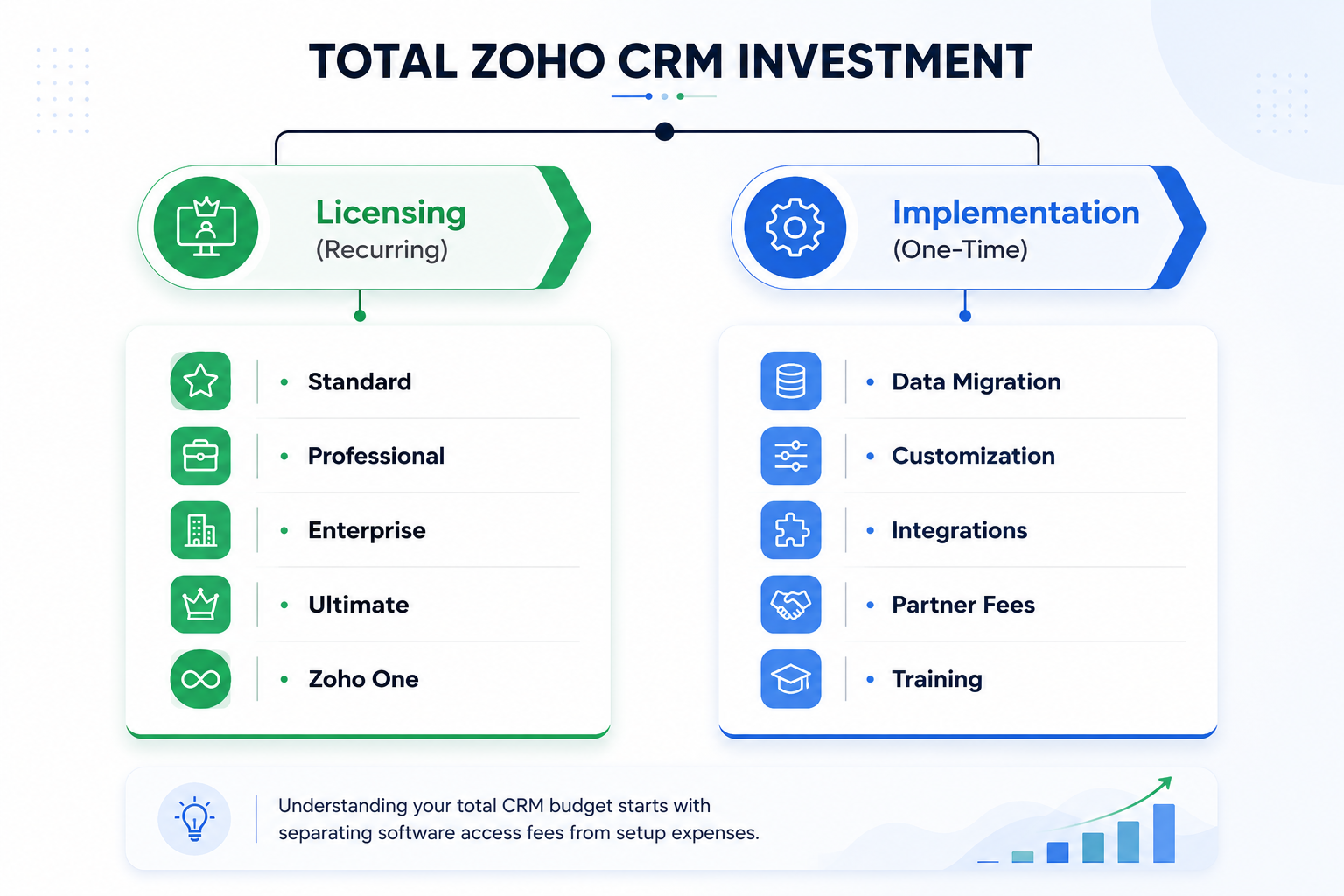
- Licensing Costs: The recurring fee paid to Zoho (monthly or annually) to access the software platform.
- Implementation Costs: The one-time expenditure required to configure the system, migrate existing data, integrate third-party tools, build custom workflows, and train employees.
Quick Comparison: Software Subscriptions vs. Real Implementation
| Cost Factor | Base License Fee | Total Implementation Scope |
| Payment Model | Recurring (Monthly / Annual) | One-time project investment + ongoing support |
| Primary Driver | User count & edition feature tier | Business complexity, data volume, custom code |
| Scope Included | Access to standard system tools | Configuration, data scrubbing, API links, team training |
| Budget Impact | ~20%–40% of first-year CRM spend | ~60%–80% of first-year CRM spend |
A company expecting to spend $30 per user monthly often overlooks the $5,000 to $25,000 required to tailor the system to their actual operations.
Understanding Zoho CRM Licensing Tiers
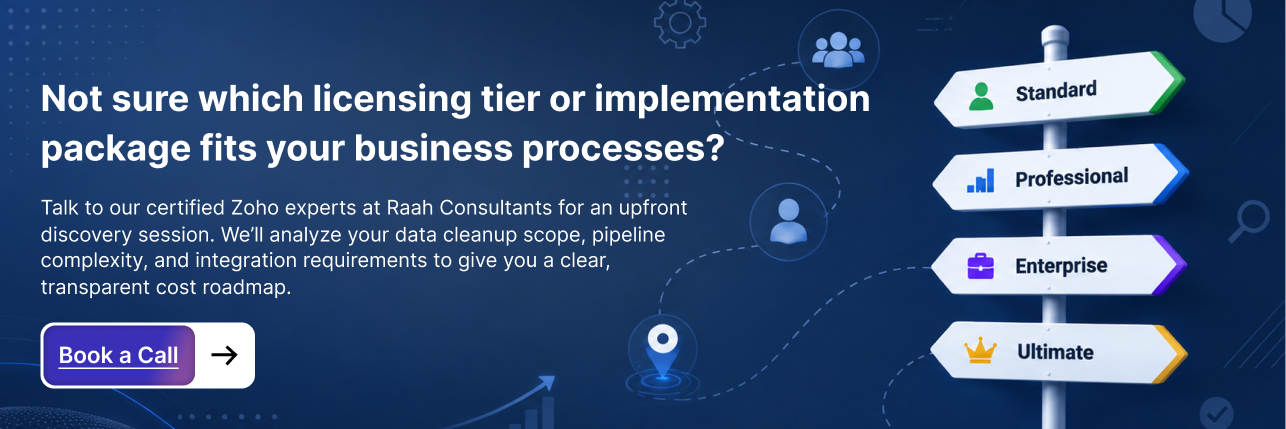
Zoho offers several pricing editions. The tier you pick dictates not only your recurring software bill but also your technical ceiling - lower tiers limit custom fields, workflow automation, and API calls.
- Standard ($14/user/month billed annually): Fits basic sales tracking, lead scoring, and standard email templates.
- Professional ($23/user/month billed annually): Adds inventory management, process management (Sales Signals), and multi-currency support.
- Enterprise ($40/user/month billed annually): Unlocks Zia (Zoho’s AI assistant), multi-page layouts, Canvas design studio, and advanced Blueprint process modeling.
- Ultimate ($52/user/month billed annually): Designed for high-volume data needs, dedicated storage, and advanced BI analytics.
- Zoho One ($37/user/month all-employee pricing): Provides access to the entire suite of 45+ Zoho applications, including Desk, Zoho Books, and Analytics.
Zoho CRM vs Salesforce: Software Cost vs. Total Cost of Ownership
When comparing Zoho CRM vs Salesforce, many companies focus solely on the sticker price of the licenses. The Salesforce Enterprise edition can easily run $165+ per user each month, whereas Zoho CRM Enterprise sits at $40 per user monthly.
However, the cost differential becomes even wider during implementation. Salesforce often requires specialized developers and expensive administrators, bringing average setup costs to 25,000–100,000+. Conversely, a comparable Zoho CRM configuration typically ranges between $5,000 and $25,000.
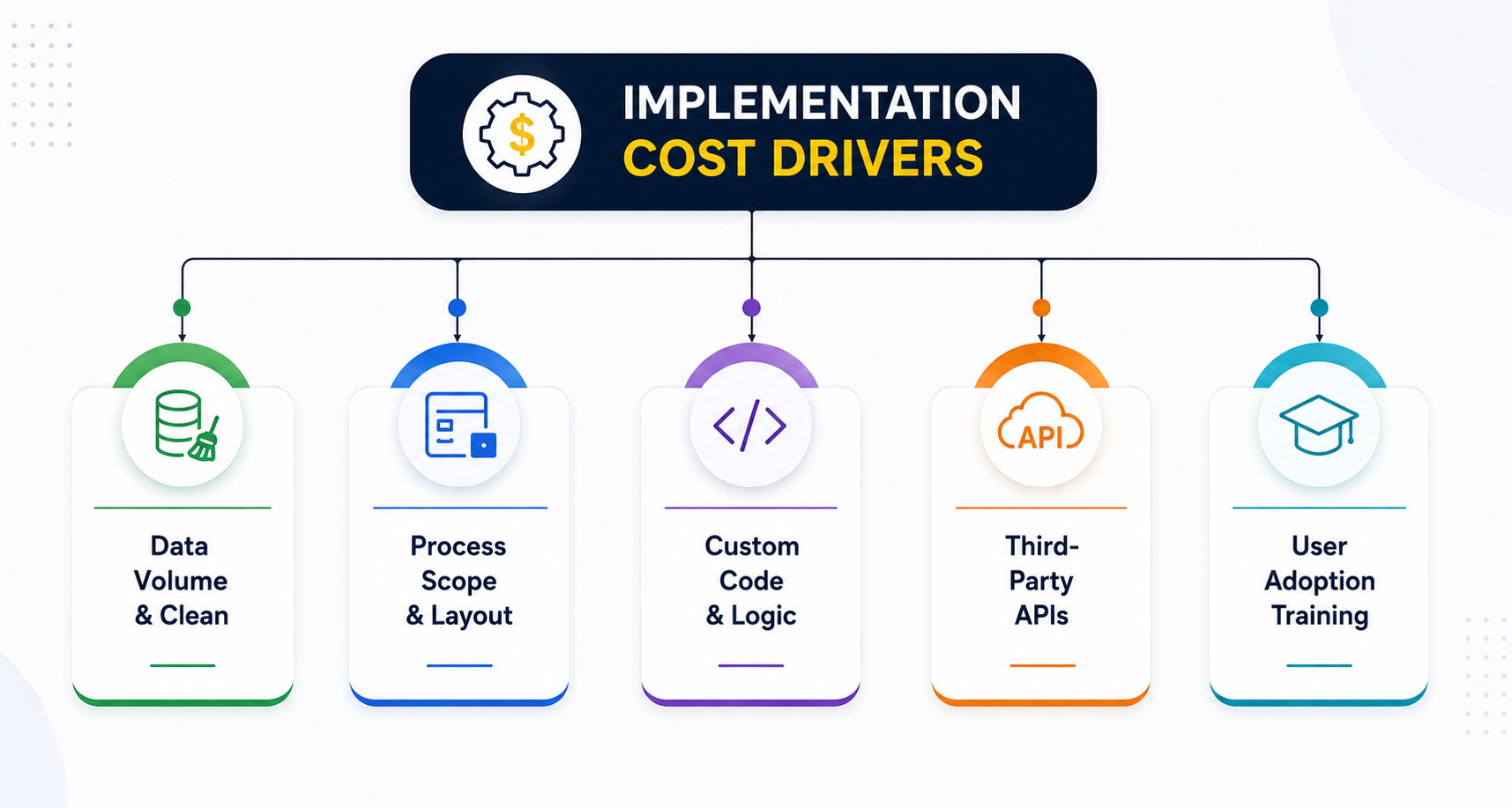
The 5 Main Factors That Drive Implementation Costs
1. Data Scope and Cleanup Needs
Migrating unstructured data from spreadsheets or legacy CRM systems is often the most variable expense.
Without Data Scrubbing: Importing duplicate contact entries, legacy field mapping errors, and broken email addresses ruins database integrity from day one.
With Data Scrubbing: Sanitizing CSV files, deduplicating contacts, and structuring field relationships prior to import preserves operational reliability.
Clean datasets move over smoothly. Legacy systems with hundreds of thousands of unindexed records require custom data mapping scripts, pushing setup fees higher.
2. Business Process Complexity
Simple pipeline tracking costs far less to configure than multi-tiered approval workflows. If your sales process requires complex stage-gate rules, conditional field visibility, or custom territory assignments, expect higher configuration hours.
3. Customization and Automation
Out-of-the-box fields work for straightforward pipelines. However, mid-market and enterprise businesses often require custom Deluge scripting, specialized subforms, and conditional layouts.
Example Scenario: A field services business needed custom quote logic that calculates material discounts based on regional volume tiering. Building this automation directly within Zoho using Deluge scripts required custom development, adding $3,500 to their baseline implementation scope.
4. Third-Party Software Integrations
Connecting Zoho CRM to your existing technology stack keeps operational data aligned across departments. Common integration endpoints include:
- ERP Systems: SAP, NetSuite, Zoho Books, Quickbooks, Xero
- Marketing Automation: Mailchimp, HubSpot, ActiveCampaign
- Communication: RingCentral, Twilio, Slack, Zoom
Connecting native Zoho suite applications - especially when running Zoho One requires minimal configuration. Integrating legacy proprietary databases or custom custom-built web apps requires webhooks and REST APIs, increasing the project cost.
5. Onboarding and User Adoption
A perfectly configured CRM is useless if your team refuses to record their daily tasks in it. Comprehensive training programs, including custom video tutorials, role-specific SOP documentation, and live QA sessions, typically add 10% to 20% to the overall project scope, but prevent user abandonment.
Real-World Budget Frameworks: What Should You Spend?
Implementation costs vary based on business size and scope:
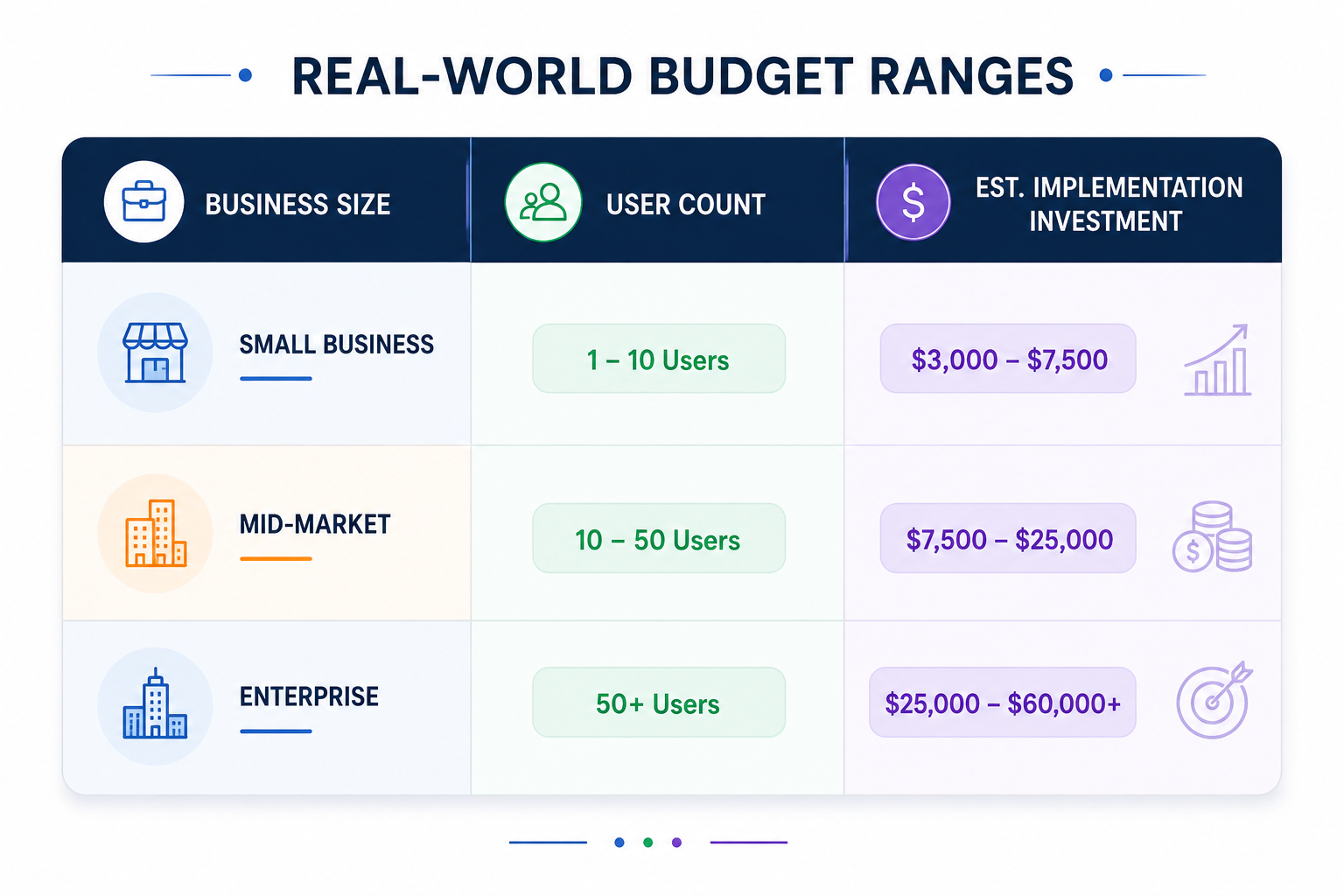
1. Small Business Package (1 – 10 Users)
- Estimated Investment: $3,000 – $7,500
- Scope: Standard lead/deal pipeline setup, basic email template integration, historical data import from spreadsheets, and 2-3 live training sessions.
2. Mid-Market Business Package (10 – 50 Users)
- Estimated Investment: $7,500 – $25,000
- Scope: Multi-departmental pipeline setup, Blueprint process rules, native integration with accounting software, custom Deluge scripting, and dedicated admin support.
3. Enterprise Package (50+ Users)
- Estimated Investment: $25,000 – $60,000+
- Scope: Full architecture rebuild, complex custom API integrations with legacy ERP systems, granular role hierarchy permissions, sandbox testing, and ongoing post-launch SLA support.
Hidden Costs Most Companies Overlook
Experienced consultants regularly see organizations run into unexpected costs late in the deployment phase. Watch out for these three budget traps:
- 1.API Call Limits: Lower pricing tiers restrict daily API calls. If your CRM exchanges real-time data with external web applications, you may need to upgrade your tier simply to expand your daily API allowance.
- 2.Storage Overage Fees: Zoho provides baseline data and file storage allowances per user. High-volume operations storing large contracts, PDFs, or media assets inside record fields can exceed these limits.
- 3.Third-Party Middleware Subscriptions: Tools like Zapier or Make.com are occasionally required to bridge non-native web services. Those monthly middleware licenses should be accounted for in your software budget.
DIY Setup vs. Certified Partner Implementation
When DIY Setup Works
If you run a team of 3 users with a straightforward sales process and minimal integration needs, setting up Zoho CRM yourself is manageable. Zoho offers extensive video documentation and community guides.
When to Engage a Certified Zoho Partner
Many companies delay hiring specialists until self-implementation hits friction. In most cases, hiring a certified Zoho consultant during early planning reduces customization expenses, prevents database architecture mistakes, and accelerates project launch timelines.
Maximizing ROI on Your Zoho CRM Investment
Calculating your Zoho CRM implementation cost isn't just about tallying software licenses and partner hourly fees. It is about evaluating the long-term efficiency, visibility, and revenue growth a properly structured CRM brings to your business.
Choosing the cheapest path; whether through a rushed DIY attempt or incomplete data migration, frequently leads to low user adoption, broken workflows, and costly technical rework down the line. Investing in proper discovery, clean architecture, and thorough team training ensures your CRM functions as a dependable engine for your operations from day one.
If you want to avoid budget overruns and build a platform tailored precisely to your operational needs, partner with seasoned Zoho experts.
At Raah Consultants, we bring years of practical experience helping businesses map complex processes, build clean Deluge scripts, and execute seamless Zoho CRM implementations without hidden surprises.
Ready to get a precise, transparent breakdown of your CRM roadmap? Book a discovery call with Raah Consultants today to plan your Zoho CRM implementation with clarity and confidence.
Frequently Asked Questions
For a small to mid-sized company, professional implementation services typically range between $5,000 and $20,000. Simple small-business setups start around $3,000, while complex enterprise deployments involving custom software integrations can exceed $50,000.
Yes, smaller teams with simple sales processes can configure Zoho CRM independently using Zoho's standard documentation. However, businesses requiring custom database relationships, third-party software connections, or automated approval rules usually benefit from experienced implementation consultants to avoid technical errors.
While internal IT teams understand your general infrastructure, certified Zoho experts possess deep, specialized knowledge of Zoho’s ecosystem, native API limits, and Deluge scripting. Experienced teams like Raah Consultants prevent architectural mistakes, drastically reduce deployment timelines, and ensure your system is configured for maximum long-term adoption.
If your team uses two or more Zoho applications (such as Zoho CRM, Desk, Books, or Sign), Zoho One is generally more cost-effective. At $37 per employee monthly (billed annually), it provides access to the full software suite for less than the standalone cost of Enterprise Zoho CRM.
A basic small-business implementation takes 2 to 4 weeks. Mid-market projects with custom workflows and standard accounting integrations average 6 to 10 weeks. Enterprise deployments requiring custom API scripting and sandbox testing can take 3 to 6 months.