 anmol.gakhar
Introduction
Healthcare organizations manage far more than appointments. A clinic may need to handle patient inquiries, appointment requests, follow-ups, referrals, insurance information, communication, billing coordination, and ongoing patient relationships, often across different systems.
That creates a practical problem: patient information and communication can become fragmented long before the clinic realizes it needs a better CRM.
The scale of healthcare data makes this more than an operational issue. In 2023, more than 167 million individuals were affected by large healthcare data breaches in the U.S., according to the U.S. Department of Health and Human Services. HHS also reported that large breaches caused by hacking and ransomware had increased substantially since 2019.
This is where Zoho CRM for healthcare can be useful. With the right configuration, healthcare organizations can use CRM to organize patient and prospect information, manage appointment-related workflows, automate communication, coordinate teams, and create a more structured patient journey.
However, healthcare CRM implementation requires more than creating a few custom fields. The system needs to reflect how the clinic actually operates while protecting sensitive information.
What Is Zoho CRM for Healthcare?
Zoho CRM for healthcare means configuring Zoho CRM around the workflows of healthcare providers, clinics, hospitals, diagnostic centers, wellness organizations, and other healthcare businesses.
Instead of treating every patient interaction as a separate activity, the CRM can provide a structured view of the relationship.
Depending on the organization, this can include:
- Patient or prospective patient information
- Appointment inquiries
- Referral sources
- Consultation history
- Follow-up activities
- Treatment or service interests
- Communication preferences
- Insurance or administrative information
- Patient engagement activities
- Service feedback
- Referral and reactivation workflows
The exact structure should depend on what the organization needs to manage and what information it is legally permitted to store.
Zoho CRM supports custom modules, fields, layouts, workflows, roles, permissions, reports, and other configuration options, making it possible to create a healthcare-specific CRM structure rather than forcing a clinic into a generic sales pipeline.
Why Do Healthcare Organizations Need a CRM?
Healthcare businesses often have a different relationship model from traditional B2B companies.
A patient may first contact a clinic through a website, phone call, WhatsApp conversation, referral, social campaign, or online form. That inquiry may then require appointment scheduling, reminders, consultation follow-up, billing coordination, or future engagement.
Without a structured system, staff may keep information across spreadsheets, email inboxes, messaging applications, scheduling tools, and separate databases.
That creates three common problems:
Information gets fragmented. Staff may not have a complete view of a patient's interactions.
Follow-ups get missed. A patient who requested information may not receive a timely response.
Manual work increases. Employees repeatedly copy information between systems and send routine reminders manually.
A properly designed CRM brings the business-facing side of these interactions into one structured environment.
It does not replace an electronic health record or clinical system. Instead, it can complement existing healthcare technology by managing communication, relationships, administrative workflows, and patient engagement.
How Can Zoho CRM Improve Patient Management?
The biggest advantage is having a structured record of interactions rather than relying on individual employees to remember what happened.
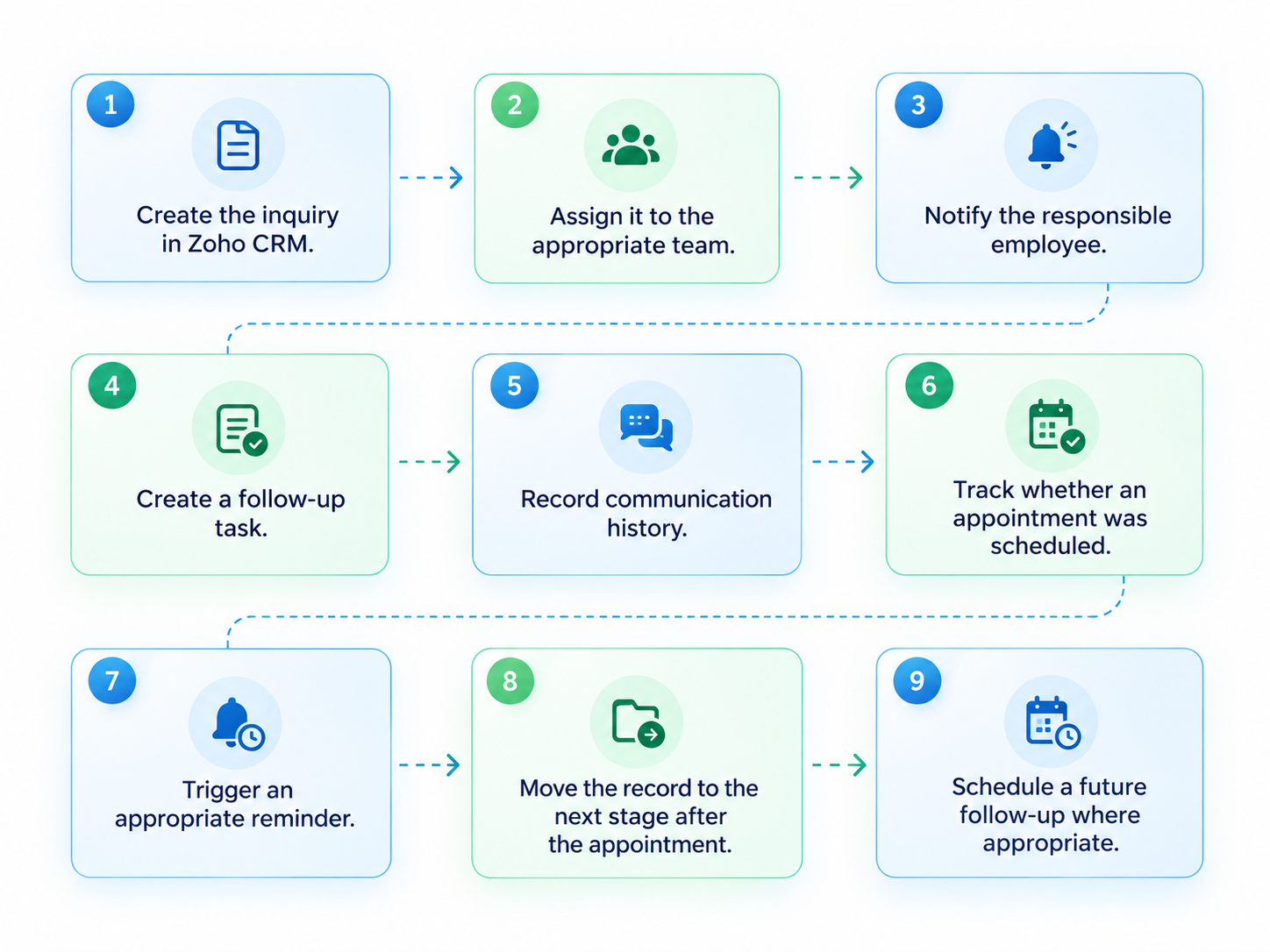
For example, imagine a prospective patient submitting an inquiry about a specialist consultation.
A well-designed workflow could:
- Create the inquiry in Zoho CRM.
- Assign it to the appropriate team.
- Notify the responsible employee.
- Create a follow-up task.
- Record communication history.
- Track whether an appointment was scheduled.
- Trigger an appropriate reminder.
- Move the record to the next stage after the appointment.
- Schedule a future follow-up where appropriate.
The exact workflow depends on the clinic's process, but the principle remains the same:
The CRM should make the next action clear instead of making staff search for it.
This is where Zoho CRM workflow automation becomes particularly useful.
What Healthcare Processes Can Zoho CRM Automate?
Healthcare organizations should focus automation on repetitive, predictable administrative processes rather than clinical decision-making.
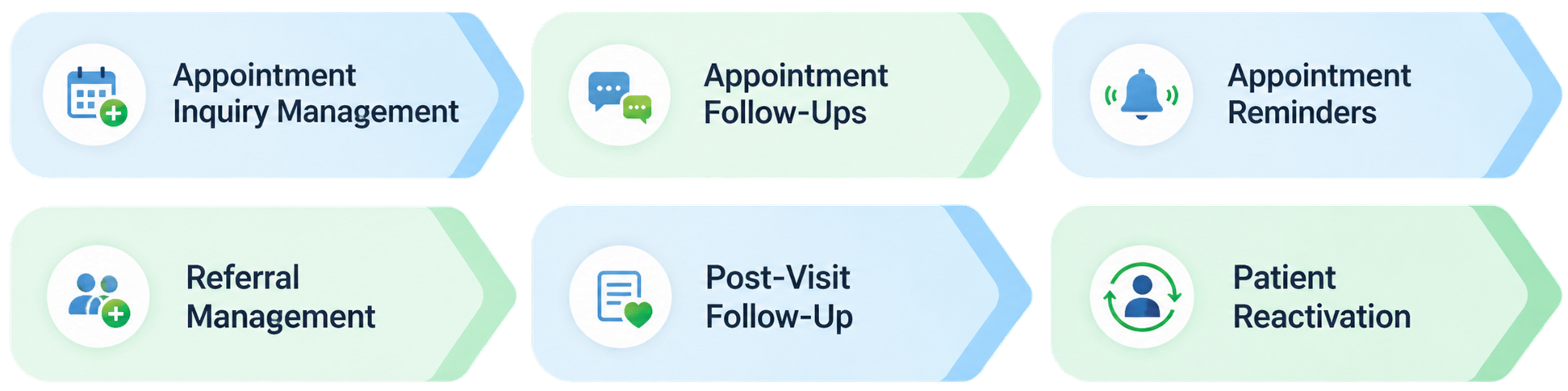
Appointment Inquiry Management
When someone submits an inquiry through a website form, Zoho CRM can capture the information and assign it to the appropriate team.
This reduces the risk of inquiries sitting unattended in a shared inbox.
Appointment Follow-Ups
If a prospective patient has requested information but hasn't scheduled an appointment, the CRM can create a follow-up task or trigger an appropriate communication workflow.
Appointment Reminders
Where supported by the organization's communication setup, automated reminders can help staff maintain consistent patient communication.
Referral Management
Clinics that receive referrals from physicians, partners, or other sources can track the source, status, follow-up activity, and conversion into an appointment or service.
Post-Visit Follow-Up
A clinic can create administrative follow-up tasks after an appointment, such as checking whether additional information is required or whether the patient needs to be contacted by the appropriate team.
Patient Reactivation
Some healthcare businesses need to reconnect with patients who have not returned for a long period. CRM workflows can help identify records that meet defined business criteria and trigger appropriate outreach.
The important distinction is that automation should support administrative and communication workflows, not replace professional medical judgment.
How Should You Structure Zoho CRM for a Clinic?
A standard sales CRM setup usually isn't enough for healthcare.
The first step should be mapping the patient journey.
A simplified journey might look like:
Inquiry → Qualification → Appointment Requested → Appointment Scheduled → Consultation Completed → Follow-Up → Ongoing Relationship
The stages should reflect the clinic's actual process.
For example, a dental clinic may need different workflows from a diagnostic center. A multi-specialty hospital may require separate processes for departments, referrals, insurance coordination, and patient communication.
This is where Zoho CRM customization becomes valuable.
Custom fields can capture information relevant to the organization's process, while custom modules can be used when the standard CRM structure isn't sufficient.
The objective isn't to create hundreds of fields.
It is to capture the information employees actually need to perform their jobs.
How Can Zoho CRM Help With Patient Communication?
Patient communication often involves multiple touchpoints.
A person may contact a clinic before booking, receive appointment information, interact with staff after the visit, and require future communication.
Zoho CRM can provide a centralized view of these interactions when configured appropriately.
For example, the clinic could track:
- Communication history
- Inquiry source
- Appointment status
- Assigned staff member
- Follow-up tasks
- Referral source
- Communication preferences
- Service interest
- Next action
This makes it easier for authorized staff to understand what has already happened and what needs to happen next.
For organizations that need multiple communication channels, Zoho integration services can help connect CRM with relevant systems and reduce duplicate data entry.
Can Zoho CRM Integrate With Other Healthcare Systems?
Yes, but healthcare integrations require careful planning.
A clinic may already use separate systems for:
- Electronic health records
- Appointment scheduling
- Billing
- Payment processing
- Telehealth
- Laboratory management
- Marketing
- Communication
- Insurance administration
Zoho CRM doesn't need to replace all of these systems.
Instead, it can serve as the relationship and workflow layer while appropriate systems remain responsible for their specialized functions.
For example:
Website → Zoho CRM → Appointment System
or:
Zoho CRM → Billing System → Patient Communication
The exact architecture depends on the organization's technology stack.
When integrating healthcare systems, teams should define exactly what data needs to move, where it should be stored, who can access it, and whether sensitive health information should be transferred at all.
How Does Zoho CRM Support HIPAA Requirements?
Healthcare organizations handling protected health information need to take compliance seriously.
Zoho states that Zoho CRM provides features that can help customers use the CRM within the premises of HIPAA compliance. These include identifying modules containing protected health information, marking specific fields as personal health data, restricting API access and exports, controlling transfers to Zoho and third-party applications, and encrypting PHI fields.
Zoho also states that organizations can request a Business Associate Agreement, or BAA, where applicable.
However, having these features does not mean that simply using Zoho CRM automatically makes a healthcare organization HIPAA compliant.
Zoho describes compliance as a shared responsibility. Organizations must configure and document the appropriate safeguards, manage access, understand their data flows, and ensure that connected applications and services are handled appropriately.
For a healthcare implementation, this means compliance requirements should be considered during solution design rather than after the CRM is already populated with sensitive information.
How Does Zoho CRM Help Clinics Reduce Manual Work?
A clinic may have staff spending time on tasks that don't require human judgment.
Examples include:
- Assigning inquiries
- Creating follow-up tasks
- Sending routine notifications
- Updating statuses
- Escalating overdue follow-ups
- Tracking referral sources
- Updating administrative records
- Generating management reports
These are good candidates for Zoho CRM automation.
A simple rule can be:
If the task is repetitive, predictable, and follows a defined business rule, consider automation.
If the task requires medical judgment, diagnosis, treatment decisions, or nuanced patient assessment, it should remain with qualified professionals.
This distinction helps healthcare organizations automate administrative processes without trying to automate clinical responsibility.
What Reports Can Healthcare Organizations Build in Zoho CRM?
Management needs visibility into more than the number of leads.
A clinic may want to monitor:
| Metric | Business Question |
| New inquiries | How much demand are we generating? |
| Inquiry response time | How quickly are we responding? |
| Appointment conversion | How many inquiries become appointments? |
| Referral sources | Which channels generate patients? |
| Follow-up completion | Are staff completing required follow-ups? |
| No-show trends | Where are appointment issues occurring? |
| Reactivation | How effectively are we reconnecting with inactive patients? |
| Service performance | Which services generate the most demand? |
These reports can help management identify operational bottlenecks.
The key is to design reports around decisions the clinic actually needs to make rather than creating dashboards simply because the CRM allows them.
How to Implement Zoho CRM for Healthcare Successfully
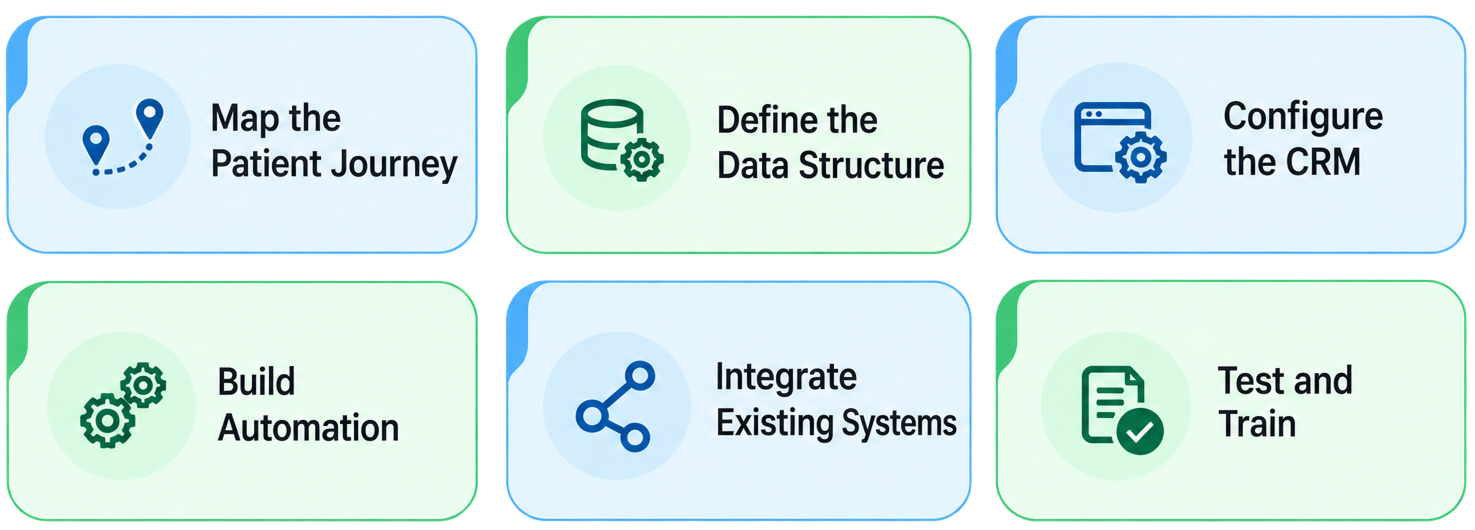
A practical implementation can follow six stages.
1. Map the Patient Journey
Document how inquiries, appointments, referrals, follow-ups, and ongoing communication currently work.
2. Define the Data Structure
Decide which information belongs in CRM, which information belongs in specialized healthcare systems, and which users need access.
3. Configure the CRM
Set up modules, fields, layouts, roles, permissions, pipelines, and reports based on the defined process.
4. Build Automation
Automate predictable administrative tasks such as assignment, reminders, notifications, follow-ups, and status updates.
5. Integrate Existing Systems
Connect CRM with relevant appointment, billing, communication, or business systems while carefully controlling sensitive data flows.
6. Test and Train
Test real healthcare workflows before launch and train staff on both the system and the processes behind it.
If you're moving from another CRM or spreadsheets, Zoho CRM migration should also include data cleansing, field mapping, validation, and post-migration testing rather than simply importing existing records.
Is Zoho CRM a Good Fit for Healthcare?
Zoho CRM can be a strong fit for healthcare organizations that need better control over patient-related business workflows, communication, referrals, follow-ups, and administrative processes.
Its value comes from its flexibility.
Healthcare organizations can configure modules, fields, permissions, workflows, reports, integrations, and security controls around their requirements.
But the implementation needs to be deliberate.
Zoho CRM should complement clinical systems rather than being treated as a replacement for every healthcare application. Sensitive data should be handled according to the organization's compliance obligations, and integrations should be designed with data security in mind.

For organizations that need a broader technology ecosystem, Zoho One implementation can also be considered when CRM needs to connect with finance, HR, customer support, analytics, and other business functions.
Frequently Asked Questions
Yes. Zoho CRM can be configured for healthcare organizations to manage patient inquiries, referrals, communication, appointment-related workflows, follow-ups, reporting, and other administrative processes. The system should be designed around the organization's specific operational and compliance requirements.
Zoho CRM can store customer or patient-related information, including data in custom fields and modules. Healthcare organizations should determine which information needs to be stored in CRM and configure appropriate access, security, and compliance controls for sensitive data.
Zoho provides features that help customers use Zoho CRM within the premises of HIPAA compliance, including PHI field controls, restrictions, encryption, and audit capabilities. However, HIPAA compliance is a shared responsibility, and healthcare organizations must configure and manage their own required safeguards.
Zoho CRM can support appointment-related workflows such as inquiry assignment, follow-up tasks, notifications, reminders, and status updates. The exact appointment functionality depends on the clinic's scheduling system and how CRM is integrated with it.
Zoho CRM can integrate with other applications through available integrations, APIs, and custom development. Healthcare organizations should assess each integration carefully, especially when protected health information could move between systems.
A clinic can automate repetitive administrative processes such as lead or inquiry assignment, follow-up tasks, notifications, status updates, referral tracking, reactivation workflows, and internal alerts. Automation should support administrative processes rather than clinical decision-making.
A consultant can be valuable when the implementation involves multiple departments, sensitive data, complex permissions, healthcare-specific workflows, data migration, integrations, automation, or compliance requirements. Simple CRM deployments may require less professional assistance.
Zoho CRM should not automatically be treated as a replacement for an electronic health record or specialized clinical system. CRM is better suited to managing relationships, communication, business workflows, referrals, and administrative processes, while clinical systems handle specialized healthcare records and care workflows.